Scan and import
Desktop and production scanners from the browser through the Scan Agent, drag and drop of PDF, TIFF and images, watched folders and e-mail inboxes. Live thumbnails, quality check and rescans.
 DocView Capture
Try it free Sign in
DocView Capture
Try it free Sign in
Scan, import, classify and read every document in your browser. Operators confirm only what needs a person; everything else flows straight to your systems.
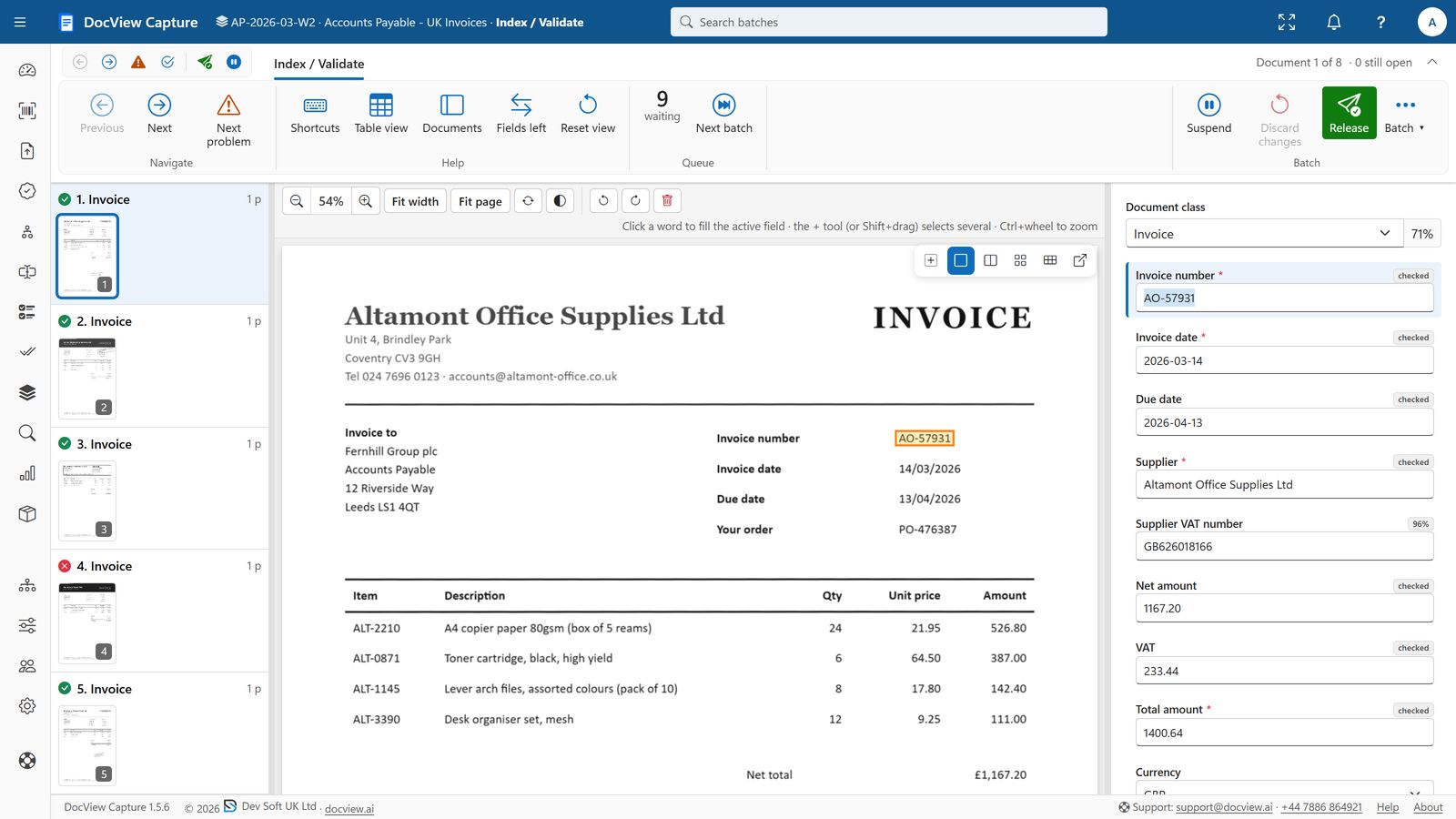
One product for capture, recognition, checking and delivery, set up per document type without writing code.
Desktop and production scanners from the browser through the Scan Agent, drag and drop of PDF, TIFF and images, watched folders and e-mail inboxes. Live thumbnails, quality check and rescans.
Documents split by barcodes, separator sheets, blank pages or content and classified by rules or AI. Anything uncertain goes to Classification; the rest carries straight on.
Finders for zones, labels and values, tables, barcodes, fuzzy matches against your master data and scripts. DocView OmniRead reads print, handwriting and tick boxes on your own servers.
Formatters, validators (dates, VAT numbers, IBANs, check digits), cross-field and batch rules, lookups and event scripts catch problems before export.
Correction (key as you see), Index and Validate, double-key Verify and quality check: keyboard-first screens for the values that need a person, straight-through for everything else.
Searchable PDF and PDF/A, XML, JSON and CSV to folders, SFTP, databases, REST services or cloud storage, per document type, with retries and delivery history.
Versioned Batch Setups with a workflow designer, screen designer and ready-made templates. Test a setup on sample documents before you release it.
Dashboards, Batch Manager, full-text search and reports. Roles and permissions, organisations, single sign-on and a complete audit trail of every change.
Each batch follows the workflow of its Batch Setup. Automatic steps run on DocView Workers; people see only the steps that need them.
Scan, upload, e-mail or watched folder.
Pages cleaned up, separated into documents and classified.
Fields read, formatted, looked up and validated.
Operators confirm only uncertain or failed values.
Documents and data delivered to your systems.
DocView OmniRead is DocView's own recognition service. It reads print, handwriting, tick boxes and barcodes more accurately than standard OCR, and can answer questions about a page, without a document ever leaving your network.
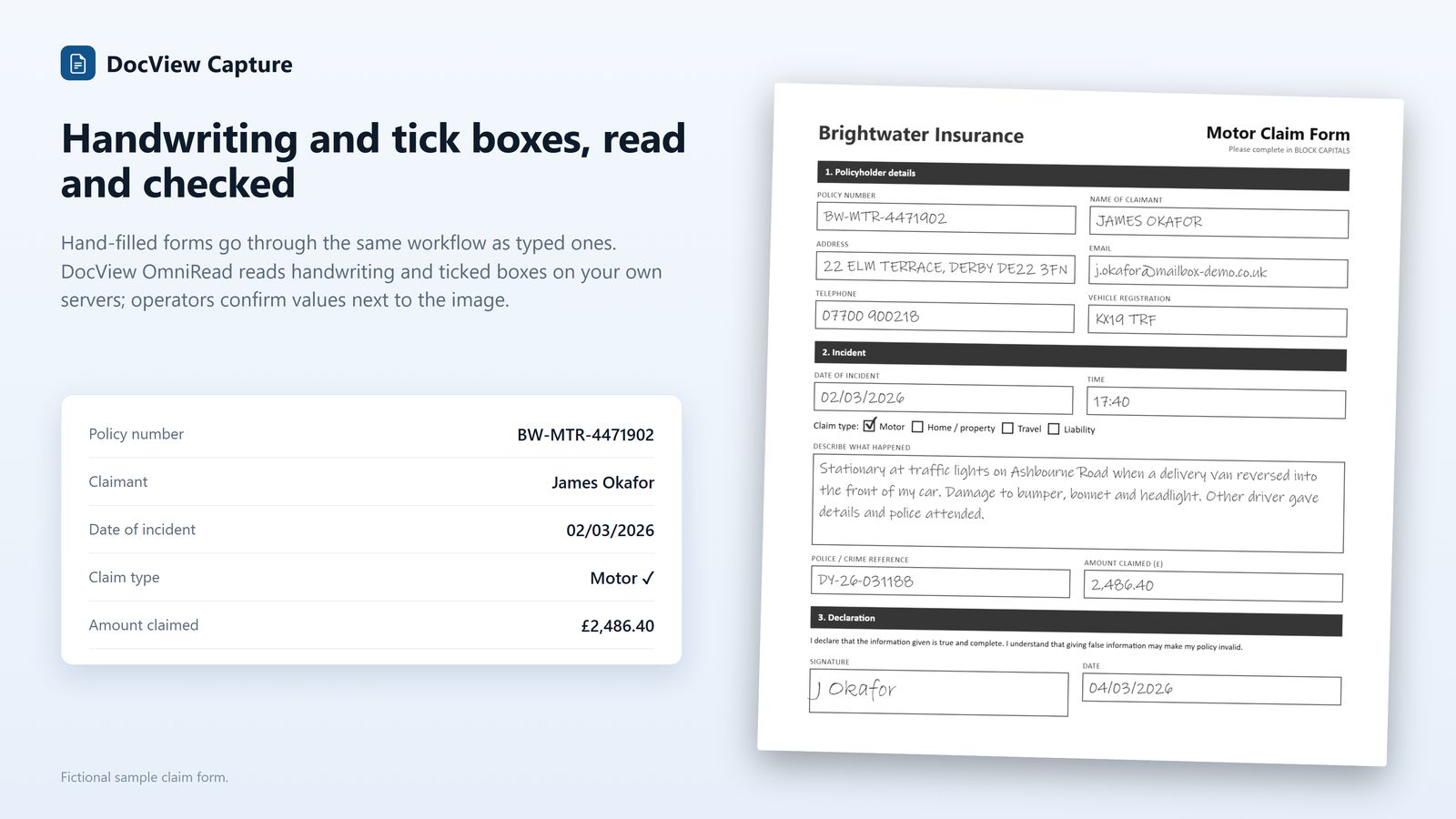
Select a screen to see it full size.
The same product on one PC, on your own servers or in your cloud.
A single workstation, or a server with any number of scanning and indexing PCs. Windows sign-in, your SQL Server and your file storage.
Microsoft Azure, Amazon Web Services or Google Cloud, or containers. DocView Workers and DocView OmniRead start when there is work and stop when there is none.
Documents stay in your storage, secrets are encrypted, every action is audited, and organisations keep their users, setups and batches apart.